
Audiences · CFOs
The AI budget,
finally legible.
The AI line went up again, and you can’t say why, who drove it, or whether you got anything for it. Backplanes reads the same session telemetry your engineers already produce and turns it into a spend report: $2,295.57 across 14 sessions, attributed to a person, a repo, and the model they chose. Every increase carries a cause and a fix, and the line reconciles to your invoices within ±4%.
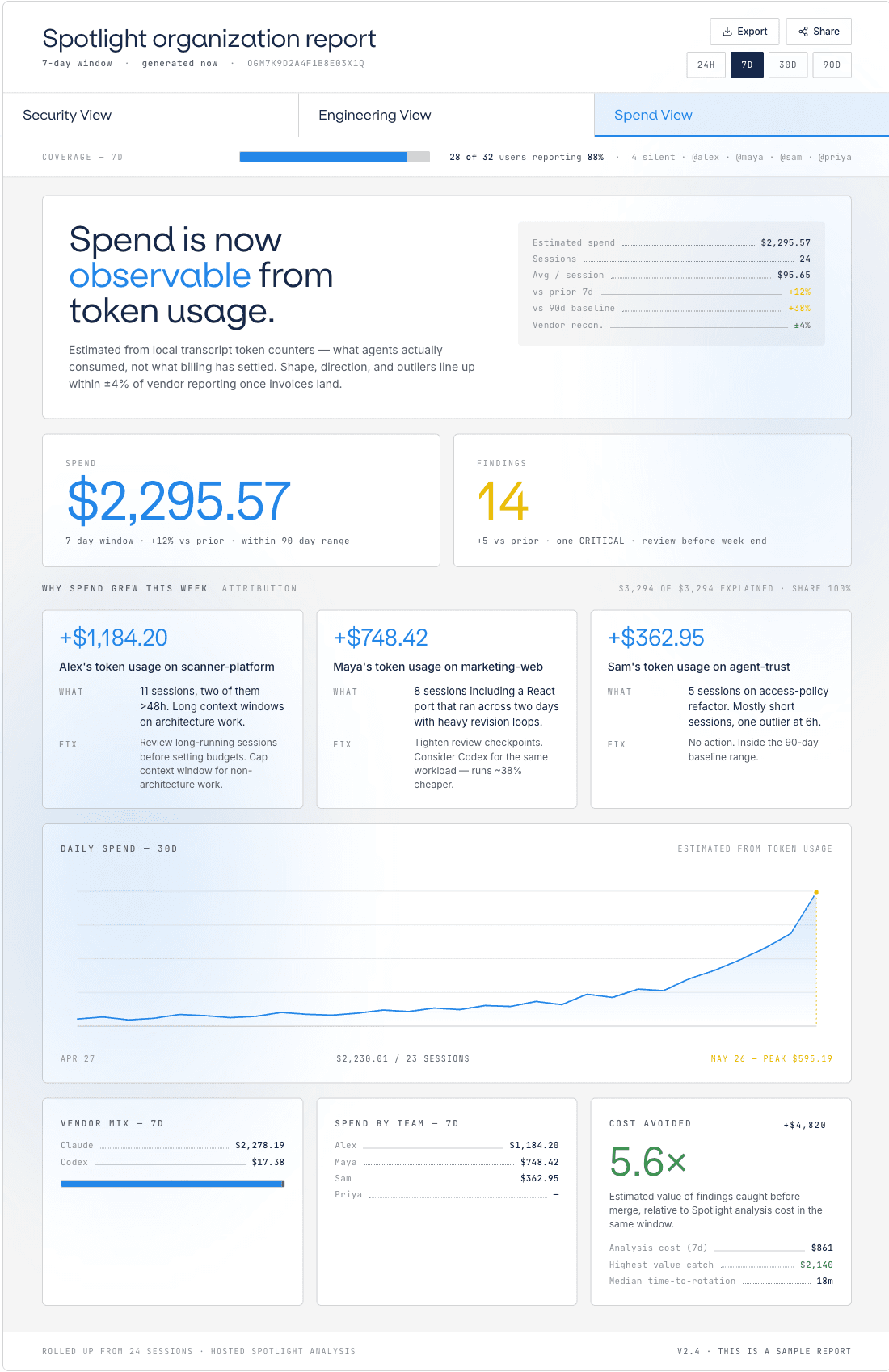
The view you live in
The Spend view.
Spend is now observable from token usage. One $2,295.57 total over 14 sessions, broken into attribution cards that name the driver and the fix, a 30-day trend line, and the outliers flagged before they surprise you.
What it answers for you
A number, not a mystery.
Where is the AI budget actually going?
Every dollar is attributed by person, repo, and tool: $2,295.57 across 14 sessions, with the top card showing +$1,184.20 on scanner-platform, driven by Alex. No more guessing which team or workload owns the line.
Why did it grow?
Each increase is tied to a cause and a fix — +$1,184.20, +$748.42, +$362.95, each with a why. Sometimes it’s volume; sometimes it’s a team defaulting to a premium model where a cheaper one would do. Either way the line reconciles to your invoices within ±4%, so finance and engineering read the same figure.
Can I forecast it?
A 30-day trend line makes the slope legible, and the outliers are called out — like the session that ran 5.6x the typical cost. You see the shape of the line before the invoice arrives, not after.
For the first time I can tell the board which team and which repo moved the AI line, and what we changed in response. It reconciles to the invoice, so the conversation is about decisions, not mysteries.
CFO · Series-C software
Get started
Put a number on the AI line.
One install reads your existing sessions and writes the spend report — attributed and reconciled, with no agent changes.